
What SEO tools Do We Use as a Digital Marketing Agency?
TLDR: What SEO Tools We Use as a Digital Marketing Agency
Start with the right tools – We rely on SEMrush, Ubersuggest, AnswerThePublic, Google Search Console, Google Analytics, Yoast SEO, Detailed Chrome Extension, and PageSpeed Insights.
Use data to guide strategy – These tools help identify keywords, track performance, and uncover opportunities to outrank competitors.
Focus on actionable insights – Don’t get lost in dashboards. Apply what you learn to optimize content, improve site speed, and fix technical issues.
Combine free and paid tools wisely – Free tools cover most needs for small businesses. Paid tools like SEMrush are worth it when scaling.
Consistency is key – Regular audits, updates, and tracking turn SEO from guesswork into predictable growth.
Search engines send over 3.5 billion searches every day. That is billions of opportunities for your business to be discovered. Yet most websites get lost in the shuffle. I have seen small businesses with incredible products and services struggle to get even a handful of leads every month simply because their SEO is weak.
SEO is not magic. It is strategy, data, and the right tools working together. But the tools you pick make all the difference. Use the wrong ones, and you waste time, money, and energy. Use the right ones, and you get clarity, direction, and measurable results.
I want to show you exactly which SEO tools we use at Schulze Creative to get consistent, trackable results for our clients. These are tools that actually make a difference, not just dashboards full of confusing numbers. By the end of this guide, you will understand how to use these tools, what each one does, and how they can help you attract more leads and grow your business online.
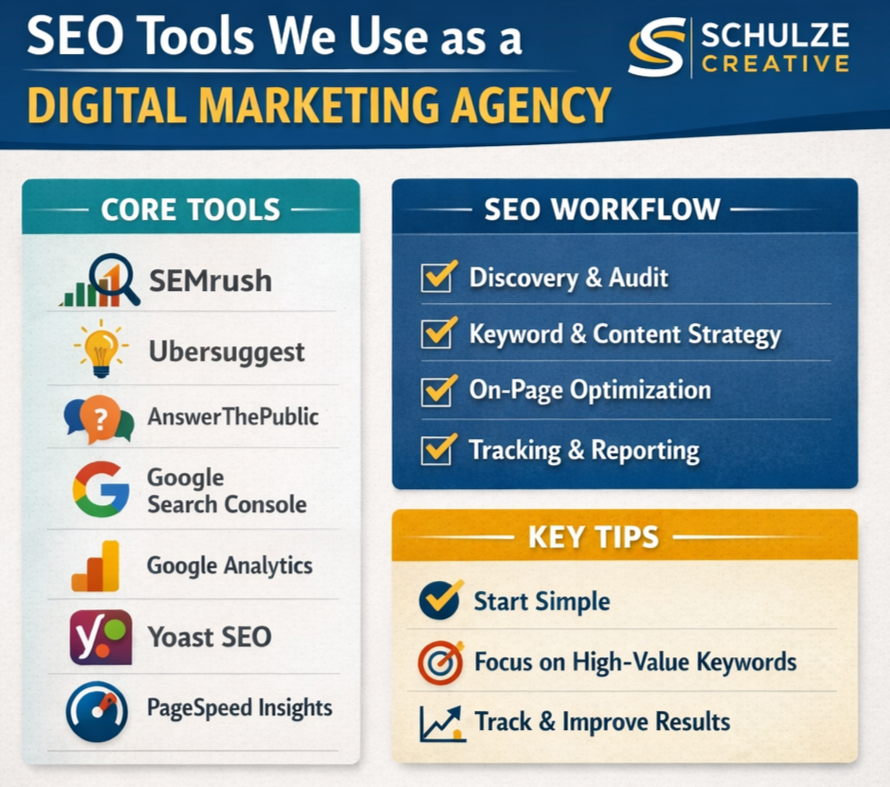
Our Core SEO Tools Every Agency Relies On
The tools you use define the results you can achieve. At Schulze Creative, our workflow relies on a small number of highly effective tools. Here is how each one fits into our process.
SEMrush – All-in-One SEO Platform
SEMrush is a comprehensive SEO platform that we use for keyword research, competitor analysis, and tracking results over time.
How we use it:
Researching what competitors are ranking for
Finding keyword gaps that our clients can target
Tracking keyword rankings for campaigns
Monitoring backlinks and site health
SEMrush gives a full picture of your SEO landscape. For example, when working with a local Fort Collins HVAC client, SEMrush showed us exactly which keywords competitors were bidding on in Google Ads. We used this information to create targeted campaigns and optimized content for pages that had the best chance of ranking. Within two months, the client saw a 30 percent increase in booked jobs.
Focus on keywords with high intent. Not every keyword brings valuable leads. Use SEMrush to filter keywords that actually convert.
Ubersuggest – Keyword Research Made Simple
Ubersuggest is one of the most user-friendly tools for finding high-value keywords. It helps us identify keywords that have a good balance of search volume and low competition.
How we use it:
Identifying new keyword opportunities for blog posts and landing pages
Checking keyword difficulty scores before targeting
Getting suggestions for long-tail keywords
A landscaping client wanted to rank locally for services like lawn aeration. Using Ubersuggest, we identified long-tail keywords like “lawn aeration near me” and “affordable lawn aeration service.” After publishing targeted content around these keywords, organic traffic grew 40 percent over three months.
Start with a handful of keywords for each page. Do not try to rank for everything at once. Focus on terms that drive leads and conversions.
AnswerThePublic – Understanding What People Ask
AnswerThePublic visualizes search queries that people are typing into Google. It is one of our favorite tools for content ideation.
How we use it:
Finding questions that potential customers are asking
Creating blog topics that answer these questions directly
Improving on-page SEO by including natural language queries
A small HVAC company wanted to improve their blog strategy. Using AnswerThePublic, we discovered common questions like “how often should I service my AC” and “why is my furnace making noise.” Writing blog posts that answered these questions led to higher engagement and more organic leads.
Combine AnswerThePublic insights with Ubersuggest data. This ensures your content is optimized for search volume and user intent.
Google Search Console and Google Analytics
These are two of the most important tools for monitoring website performance. They are free and give actionable insights.
How we use them:
Search Console: Monitors indexing issues, search impressions, and CTR for keywords
Analytics: Tracks user behavior, conversions, traffic sources, and page performance
One client’s website had a high bounce rate on the pricing page. Using Analytics, we discovered most visitors were leaving without converting. After redesigning the page and rewriting copy to answer common questions, bounce rate dropped 25 percent and conversion rates improved.
Check these tools weekly. Even small changes, like fixing broken links or improving meta descriptions, can have a big impact on traffic and rankings.
Yoast SEO – On-Page Optimization for WordPress Sites
Yoast SEO is a plugin for WordPress that helps optimize each page for SEO best practices.
How we use it:
Ensuring every page has proper title tags and meta descriptions
Improving content readability
Guiding internal linking strategy
We helped a local business optimize over 50 pages using Yoast SEO. By following the plugin’s recommendations for keywords, headings, and internal links, they saw improved rankings for multiple service pages within three months.
Focus on readability and keyword placement. SEO is not just about keywords. Google rewards content that answers questions clearly and is easy to read.
PageSpeed Insights – Site Performance
Page speed affects both user experience and search rankings.
How we use it:
Checking page load times
Identifying issues like large images, slow server response, and unnecessary scripts
Recommending optimizations to improve speed
A client’s site was taking 7 seconds to load. Using PageSpeed Insights, we optimized images and enabled browser caching. Page load dropped to 2.5 seconds, which improved rankings and increased conversion rates.
Site speed is critical for mobile users. Always test pages on both desktop and mobile.
Detailed Chrome Extension – Quick SEO Insights
This tool gives instant SEO metrics while browsing any website.
How we use it:
Checking page titles, meta descriptions, and headings on the fly
Comparing competitors’ pages quickly
Spotting basic technical issues without running a full audit
Use it for quick website audits or when analyzing competitor sites before writing content or planning campaigns.
Other SEO Tools in the Industry
While we focus on the tools above, there are other tools that are widely used in the SEO industry, including Ahrefs, Surfer SEO, MarketMuse, Clearscope, and Moz. These tools offer advanced functionality like AI-powered content analysis, backlink tracking, and competitor monitoring.
For most small businesses, these tools are optional. Many are expensive and can be overly complicated. We believe it is better to master a few tools first and invest in additional platforms only when you are ready to scale.
How We Integrate SEO Tools Into Our Workflow
Using SEO tools effectively requires a process. At Schulze Creative, we follow a structured workflow:
Discovery – We learn client goals, target audience, and competitors.
Audit – Technical and on-page audits using Google Search Console, PageSpeed Insights, and Detailed.
Keyword and Content Strategy – Identify target keywords and questions using Ubersuggest and AnswerThePublic.
On-Page Optimization – Optimize content using Yoast SEO and insights from research tools.
Tracking and Reporting – Measure improvements with Google Analytics and Search Console.
This workflow ensures every tool has a purpose and every insight is actionable. If you are interested in working together, check out what it looks like to work with Schulze Creative.
Tips for Using SEO Tools Effectively
Start simple – Begin with free tools and only invest in paid tools when needed.
Focus on high-value keywords – Target keywords that will bring real leads and sales, not just clicks.
Audit regularly – Fix technical issues before they affect rankings.
Combine tools strategically – Use each tool for what it does best rather than trying to do everything in one platform.
Track results – Always measure traffic, leads, and conversions to understand what works.
Conclusion: Build Your SEO Tools Smartly
SEO is not a guessing game. It is a system. And like any system, it works best when you use the right tools in the right way. At Schulze Creative, we rely on SEMrush, Ubersuggest, AnswerThePublic, Google Search Console, Google Analytics, Yoast SEO, Detailed Chrome Extension, and PageSpeed Insights to guide every decision, track every result, and optimize every page.
These tools give you insight into your audience, your competitors, and your own website performance. They show what is working, what needs fixing, and where opportunities lie. Combined with a clear strategy and consistent action, they turn SEO from a mystery into a predictable path for growth.
Whether you are just starting with SEO or looking to scale your efforts, the key is to start with a focused stack of tools, master them, and use the data to make smart decisions. Invest your time wisely, track your results, and iterate consistently. That is how businesses move from invisible online to commanding attention, attracting leads, and driving real growth.
Start with the right tools. Use them strategically. And watch your business grow. If you are interested in growing your business with SEO, book a free marketing consultation call today.
FAQ About SEO Tools
What are SEO tools?
SEO tools are software or platforms that help optimize your website for search engines. They provide insights on keywords, backlinks, content performance, and technical issues.
Which SEO tools does Schulze Creative use?
We rely on SEMrush, Ubersuggest, AnswerThePublic, Google Search Console, Google Analytics, Yoast SEO, Detailed Chrome Extension, and PageSpeed Insights.
Are free SEO tools worth it?
Yes. Free tools like Google Search Console, Analytics, and AnswerThePublic can provide enough data for small businesses to see meaningful results.
How much should SEO tools cost for a small business?
You can start with free tools. Paid tools range from $50 to $200+ per month depending on features and business size.
Can Schulze Creative help me use SEO tools?
Yes. We help businesses implement tools and strategies effectively, ensuring insights turn into action and measurable growth.
Do I need all these tools to succeed?
No. Start with the basics and scale as your business grows. Mastery of a few tools is more effective than using many tools poorly.
